You can easily track your Clipper Courier Logistics parcel anytime online. There’s no need to visit an office or call customer service. Just type your Clipper tracking number in the box above and click Track. In a few seconds, you’ll see your parcel’s latest status, delivery route, and estimated arrival time. The system is easy to use and gives you live updates so you always know where your shipment is.
Clipper Customer Service
Contact Number: 800.899.5080
Official Emails: dispatch@clippercourierlogistics.com
Official Website: https://clippercourierlogistics.com/
Headquarter: 531 E 3rd St, Dayton, OH 45402, United States
About Clipper Courier Logistics
Clipper Courier Logistics, Inc. started in 1983 in Dayton, Ohio, USA. It began as a small local courier and has now grown into a trusted logistics and transportation company.
Today, Clipper has major operation centers in both Dayton and Cincinnati, Ohio. The company focuses on on-time delivery, safety, and customer satisfaction.
Since the start, Clipper has built its name on honesty and clear communication. They work closely with clients and employees to ensure that every delivery is done with care and professionalism.
One key to Clipper’s success is its experienced staff. The company believes that trained and motivated employees help provide the best service to every customer.
Each Clipper employee goes through strict background checks and continuous training to ensure reliability, safety, and high-quality performance. This strong focus on people has made Clipper one of the most dependable courier services in the region.
Clipper’s Core Values
Clipper Courier works on four main values that guide its daily operations:
- Speed: Every parcel is delivered on time.
- Safety: All shipments are handled with care and accuracy.
- Service: Customers are treated with respect and honesty.
- Support: Teams are always ready to assist with questions or updates.
These values help Clipper build long-term relationships with its customers.
What Clipper Offers
Clipper Courier provides a wide range of delivery and logistics services for businesses and individuals.
Main services include:
- Same-Day Delivery: Fast delivery across cities in Ohio and nearby areas.
- Scheduled Deliveries: Set pickup and drop-off times for regular shipments.
- Medical Courier Service: Safe and secure transport of medical samples, reports, and supplies.
- Freight and Trucking: Larger shipments handled by Clipper’s logistics division.
- Warehouse and Distribution: Storage and inventory support for clients.
- On-Demand Service: Urgent pickup and delivery options available any time.
Each service is designed to meet the customer’s timing and safety needs.
Clipper Coverage Area
Clipper Courier mainly serves the Midwest region of the United States. Its main service areas include:
- Ohio: Dayton, Cincinnati, Columbus, Cleveland
- Indiana: Indianapolis, Fort Wayne
- Kentucky: Louisville, Lexington
The company continues to expand its delivery routes to cover nearby states through partnerships and logistics networks.
Understanding Your Clipper Tracking Number
Every shipment handled by Clipper Courier has a unique tracking number. This number helps identify your package and its route.
When you check your tracking number, you might see updates such as:
- Picked Up: Your parcel has been collected from the sender.
- In Transit: It’s on the way to the next city or hub.
- Arrived at Facility: The parcel reached a Clipper sorting center.
- Out for Delivery: The driver is on the way to deliver it.
- Delivered: Your parcel has been successfully received.
These steps show the full journey of your package from start to finish.
Clipper’s Safety Standards
Safety is a top priority at Clipper Courier. Each employee is trained to follow strict safety rules for handling parcels.
Clipper uses GPS tracking, digital delivery proof, and secure vehicles to make sure every package stays safe until it reaches its destination.
The company also maintains a clear record system for all deliveries to reduce mistakes and improve accuracy.
Customer Support and Assistance
Clipper’s customer service team is available to help you with any shipment question. They can guide you on how to:
- Track or locate your parcel.
- Schedule a pickup or delivery.
- Report a delay or issue.
- Get a proof of delivery.
You can call the helpline at 800.899.5080 or email dispatch@clippercourierlogistics.com during business hours.
Tips for Smooth Tracking
To get accurate tracking results, follow these tips:
- Enter your tracking number without spaces or dashes.
- Wait a few hours if tracking data is new.
- Keep your shipping receipt until the parcel is delivered.
- Double-check the number if the result doesn’t show.
- Contact Clipper’s customer support for missing updates.
These steps help you get the correct delivery information every time.
Benefits of Shipping with Clipper Courier
Clipper offers a mix of experience, technology, and customer care that makes deliveries smooth and safe.
Main benefits include:
- Fast Turnaround: Same-day or next-day delivery for most routes.
- Safe Handling: Packages moved with care and verified tracking.
- Experienced Drivers: Professionals with years of local delivery experience.
- Flexible Solutions: Services for individuals and businesses of all sizes.
- Affordable Rates: Competitive pricing across delivery types.
- Dependable Support: Helpful staff available to answer every query.
With Clipper, customers get speed, safety, and trust in every shipment.
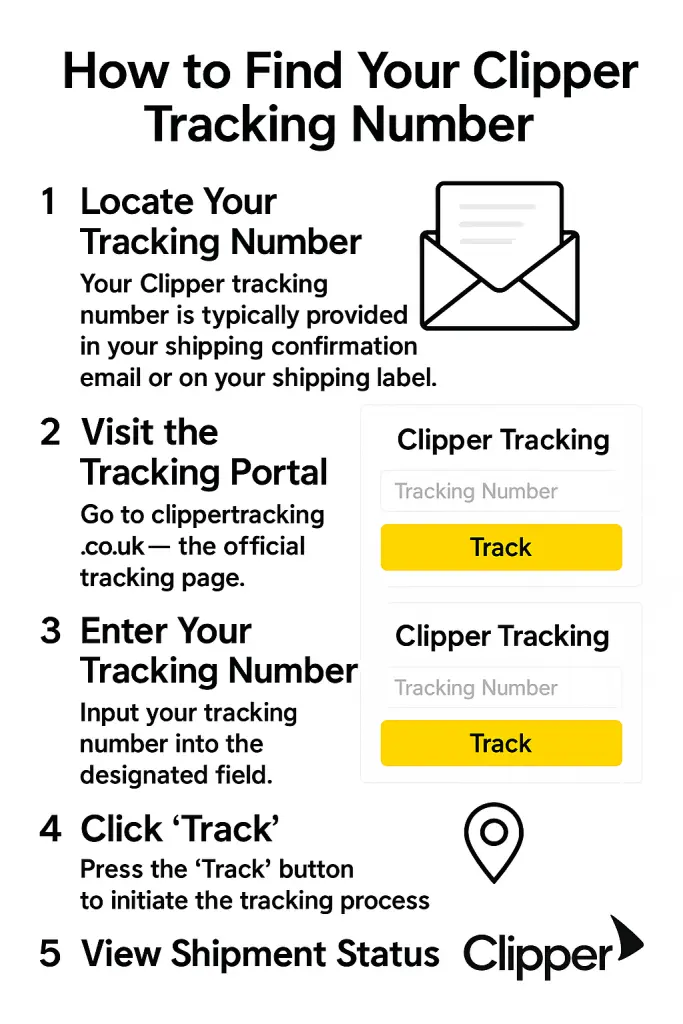
How to Track Clipper Shipments
- Find your tracking number on your receipt or email.
- Type it in the Clipper tracking box above.
- Click Track.
- View your shipment’s latest status and delivery time.
FAQs about Clipper Courier
1. What is Clipper Courier Logistics?
It’s a delivery and logistics company based in Dayton, Ohio, serving Ohio and nearby states.
2. How can I track my Clipper parcel?
Enter your tracking number above and click Track to view live updates.
3. What does “In Transit” mean?
It means your parcel is moving between facilities or cities.
4. What if my tracking number doesn’t work?
Check again after a few hours or contact customer service for help.
5. Does Clipper offer same-day delivery?
Yes, Clipper provides same-day and on-demand delivery options.
6. Is my parcel safe with Clipper?
Yes, every delivery follows strict safety and tracking procedures.
7. What areas does Clipper serve?
Mainly Ohio, Indiana, and Kentucky regions.
8. Can I schedule a regular pickup?
Yes, businesses can arrange scheduled daily or weekly pickups.
9. What if my parcel is delayed?
Call 800.899.5080 or email dispatch@clippercourierlogistics.com for support.
10. How long has Clipper been in business?
Since 1983, with nearly four decades of delivery experience.